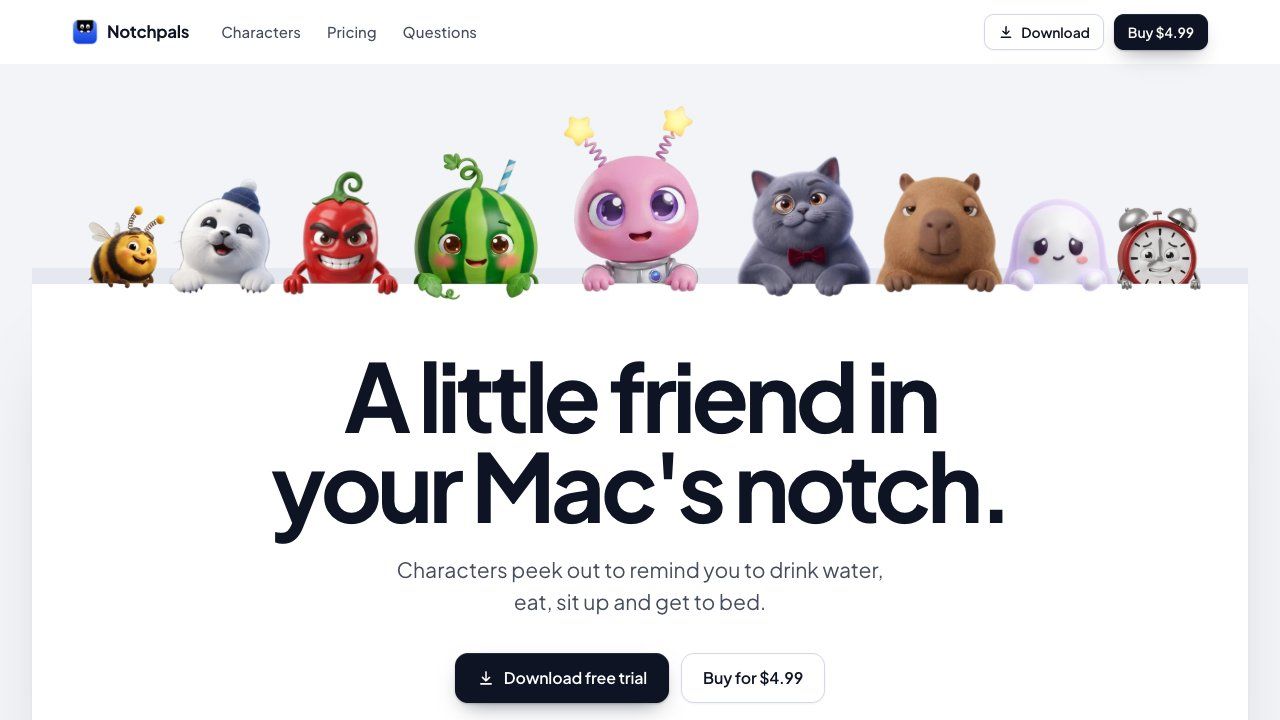
Notchpals is a Mac menu bar app. Little characters peek out of the notch with small reminders: drink water, eat on time, sit up straight, rest your eyes, move a little and get to bed.
There are 29 characters, each about one thing, from Blip, the tiny alien who shows you around, to Sir Pounce, a cat who notices the slouch before your back does. You can try any character in your notch before you buy.
On a call, the notch stays shut. Notchpals checks whether the microphone or camera is in use, never what they hear or see, and everything stays on your Mac. On a Mac without a notch, it draws one.
Free for 24 hours, then $4.99 once for the app, Blip and 2 characters you pick. More characters are $0.99 each. One key for up to 3 Macs. macOS 14 or later.
Frequently asked questions
What is Notchpals?
Notchpals is an utilities tool. A little friend in your Mac's notch.
Is Notchpals free?
Notchpals is a paid tool; there's no permanent free tier listed.
What can you do with Notchpals?
Notchpals covers Menu bar app that shows small reminder characters in or near the notch, 29 characters each tied to a specific habit (hydration, posture, eye rest, bedtime, etc.) and Detects microphone/camera use to stay hidden during calls without reading content.
More in Utilities

Save X (Twitter) videos at original quality. Free, no login, no watermark
A keyboard overlay for screen recordings on your Mac
A privacy screen for your Mac
NetMute: Per-App Firewall & Tracker Shield for Mac

Eject water from your iPhone speaker, test audio clarity and explore sound tools with a fast, private utility that works completely offline.
Free tools that run in your browser, not the cloud
No comments yet. Be the first to say something useful.