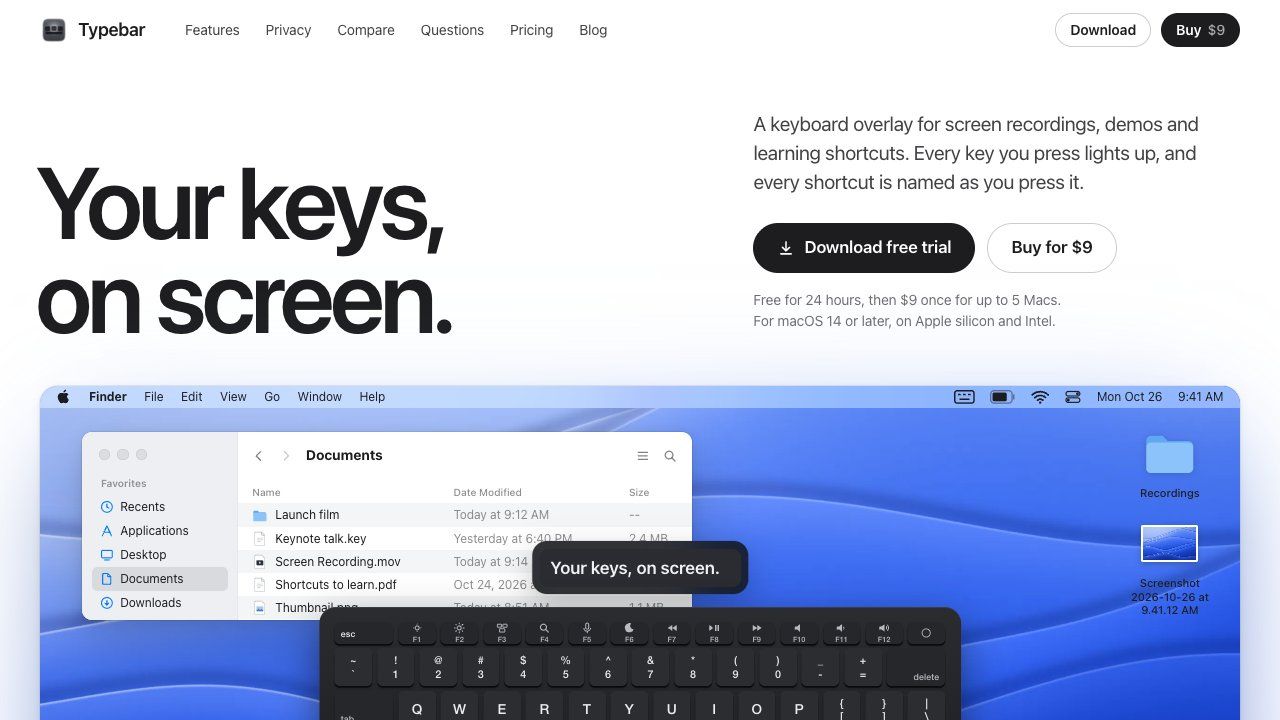
Typebar is a keyboard overlay for the Mac, made for screen recordings, demos and learning shortcuts. Every key you press lights up on an on-screen keyboard, and a pill names each shortcut from the app's own menus, like Screenshot Selection for Shift Command 4.
Hold a modifier and the keys show what they do in the app in front. There are cheatsheets for every app, 20 hand-made packs and your own keybindings from 11 apps. Click ripples, a cursor halo, Spotlight, six switch sounds and 40 themes with a theme editor are built in.
Password fields stay private, and nothing you type is saved or sent anywhere. Typebar can show itself when a recording starts and hide when it stops.
Free for 24 hours, then $9 once for up to 5 Macs. macOS 14 or later, on Apple silicon and Intel.
Frequently asked questions
What is Typebar?
Typebar is an utilities tool. A keyboard overlay for screen recordings on your Mac.
Is Typebar free?
Typebar is a paid tool; there's no permanent free tier listed.
What can you do with Typebar?
Typebar covers Live on-screen keyboard overlay that lights up pressed keys, Shortcut name pills pulled from an app's own menus and 20 hand-made cheatsheet packs plus custom keybindings from 11 apps.
More in Utilities

Save X (Twitter) videos at original quality. Free, no login, no watermark
A little friend in your Mac's notch
A privacy screen for your Mac
NetMute: Per-App Firewall & Tracker Shield for Mac

Eject water from your iPhone speaker, test audio clarity and explore sound tools with a fast, private utility that works completely offline.

Free tools that run in your browser, not the cloud
No comments yet. Be the first to say something useful.