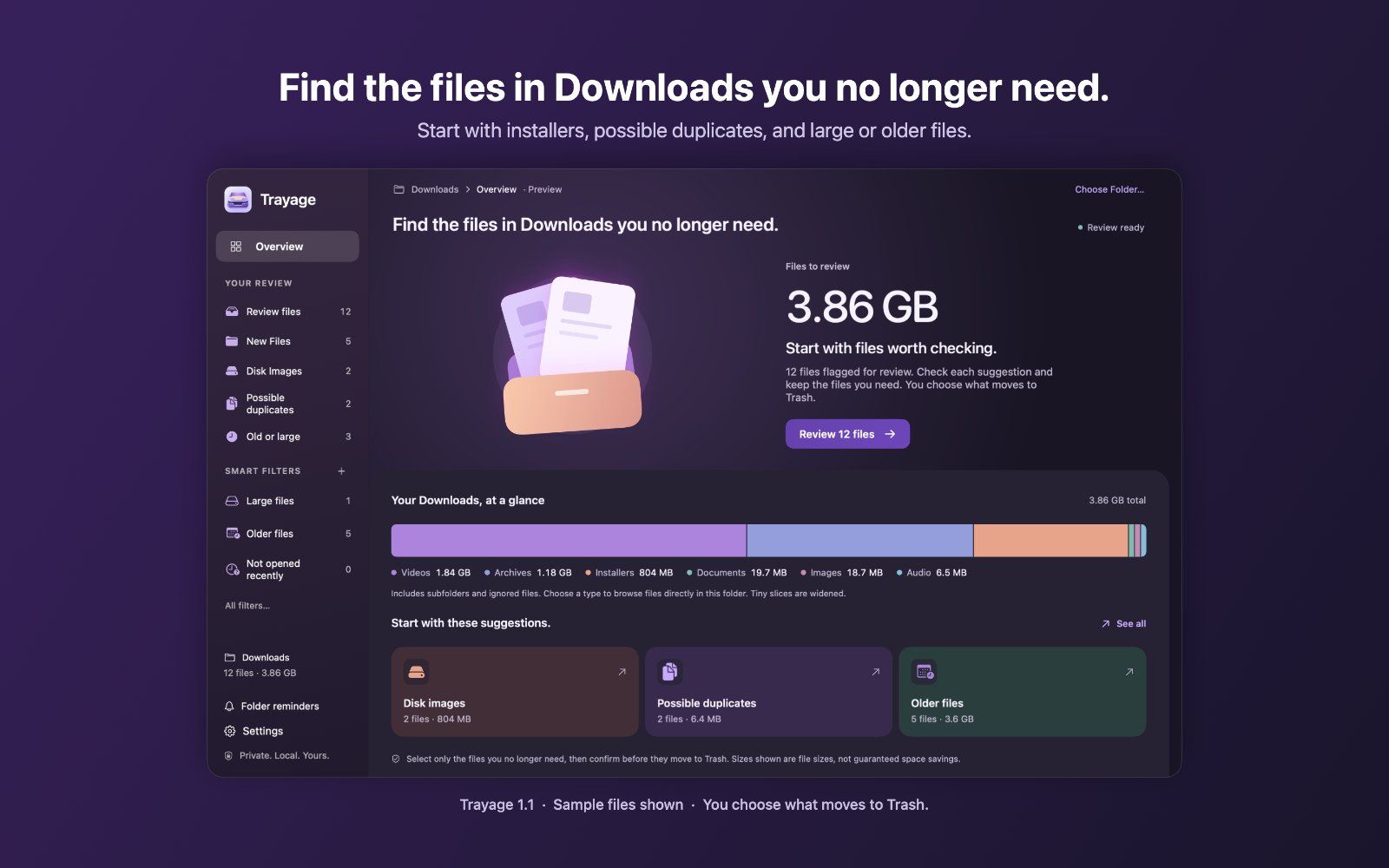
Trayage is a native Mac app that helps you find downloads you no longer need. It groups installers, possible duplicate downloads, and large or older files into a focused review, with clear reasons for each suggestion.
Check your folder from the menu bar or open the full review window. Use 14 Smart Filter presets or save your own rules for file type, size, dates, Finder tags, and recorded source website. Compare likely duplicates with optional local content checks, hide suggestions you want to keep, and set optional folder-size reminders.
You choose what moves to Trash and confirm every cleanup. Nothing is selected or removed automatically, and Trayage never empties Trash. File analysis stays on your Mac; file names and contents are not uploaded.
File review is free. Try cleanup with a seven-day trial that never charges automatically, then unlock it for US$9.99 with a one-time purchase. No subscription. Available for macOS 14 or later.
Frequently asked questions
What is Trayage?
Trayage is an utilities tool. Review your Mac downloads and choose what moves to Trash.
Is Trayage free?
Trayage is freemium: you can start on a free tier, and paid plans unlock more.
What can you do with Trayage?
Trayage covers Groups downloads into installers, likely duplicates, and large or older files for review, 14 Smart Filter presets plus custom rules based on file type, size, date, Finder tags, and source website and Menu bar quick-check and a full review window.
More in Utilities

Save X (Twitter) videos at original quality. Free, no login, no watermark
A keyboard overlay for screen recordings on your Mac

A little friend in your Mac's notch
A privacy screen for your Mac

NetMute: Per-App Firewall & Tracker Shield for Mac

Eject water from your iPhone speaker, test audio clarity and explore sound tools with a fast, private utility that works completely offline.
No comments yet. Be the first to say something useful.